Images and videos


Technical
- Current version
- 3.0.1
- Requires FreeScout
- from 1.8.233
- Licence of the code
- AGPL-3.0-or-later
- Guide
- Read the guide
- Changelog
- All versions
- Languages
- English, French, German, Italian
About this module
Common questions about this module
What can actually be changed in FreeScout?
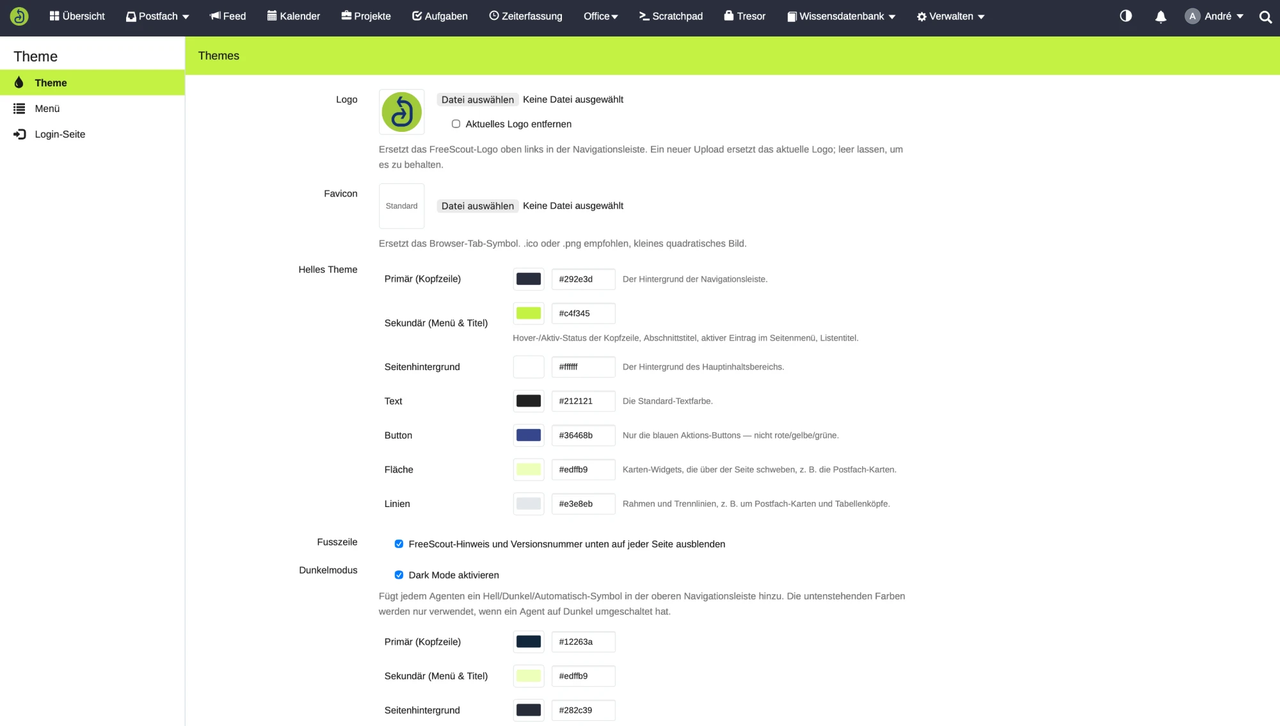
The logo in the navigation bar, the favicon, seven colour areas individually – primary and secondary colour, page background, text, buttons, surfaces and lines –, the order of the main menu and the look of the sign-in page. All centrally under `Manage` → `Themes`, effective for the whole installation.
Is there a real dark mode?
Yes, and not a mere inversion of the light colours: each of the seven areas can have its own dark value. Everyone gets a switch in the navigation with «Automatic», «Light» and «Dark»; the browser remembers the choice, and in automatic mode the view follows the system setting immediately.
Can I reorder the navigation without changing permissions?
Yes. You arrange the entries by drag and drop and can group several into a submenu. Who may see and use what is untouched by this – the order is a question of display, not of rights.
Can I add my own CSS?
Deliberately not. Every adjustment goes through defined colour fields, uploads and switches. Free-form CSS can make central elements unreadable or unusable and breaks silently after an update – so the module only changes areas that are maintained and developed in a controlled way.
Can I get back to the standard?
At any time, and area by area: individual settings can be reset to the FreeScout defaults without touching anything else.
Does the module add anything to the database?
No. The configuration lives in FreeScout's existing key-value store – no table of its own, no migration, no dependency on other modules.
Give FreeScout your company's appearance
Logo, colours, navigation and sign-in page in one module — set up in minutes, reset to the default at any time.